
Summarize a draft into a clean, on-brand excerpt and write it back into the post excerpt field with a single click from the editor sidebar.
How it works
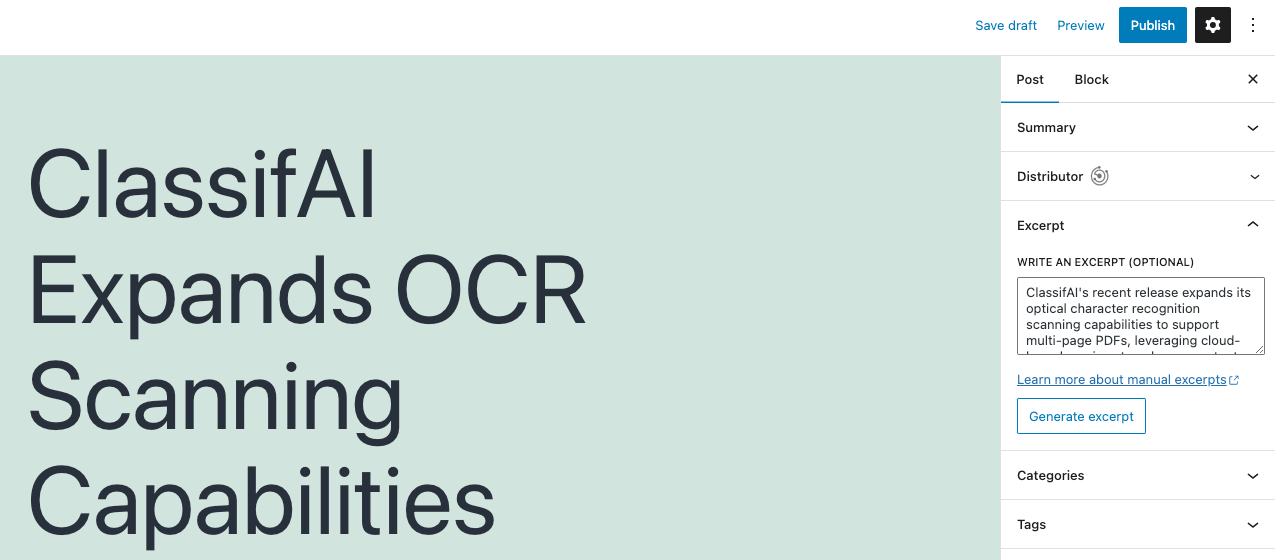
Excerpt generation reads the body of the post (or any content you paste in) and asks a language model for a short summary, then drops it directly into the WordPress excerpt field. It is exposed in the block editor through a “Generate excerpt” button next to the excerpt panel, in the classic editor through a metabox button, and as a REST endpoint your own integrations can call.
Configuration
- Target excerpt length in words.
- Customisable system prompt to match house voice.
- Default provider and model.
- Allowed roles and an allowed-users list for granular access control.
- Per-user opt-out from the user’s own profile screen.
Providers
Excerpt generation supports the broadest provider set in ClassifAI:
- OpenAI ChatGPT
- Azure OpenAI
- Google Gemini
- xAI Grok
- Ollama (locally hosted)
- Chrome built-in AI (experimental, on-device)
Beyond the editor
The same generator is available as a REST endpoint and as a WP-CLI command (wp classifai generate_excerpt) so existing archives can be backfilled in a single batch — useful when adding excerpts to thousands of legacy posts that were published without one. Excerpt generation is one of the most-used ClassifAI features in production because it removes the most-skipped step in the publishing flow.