
Write accurate, descriptive alt text on every upload — automatically as files enter the media library, or on demand from the attachment screen.
How it works
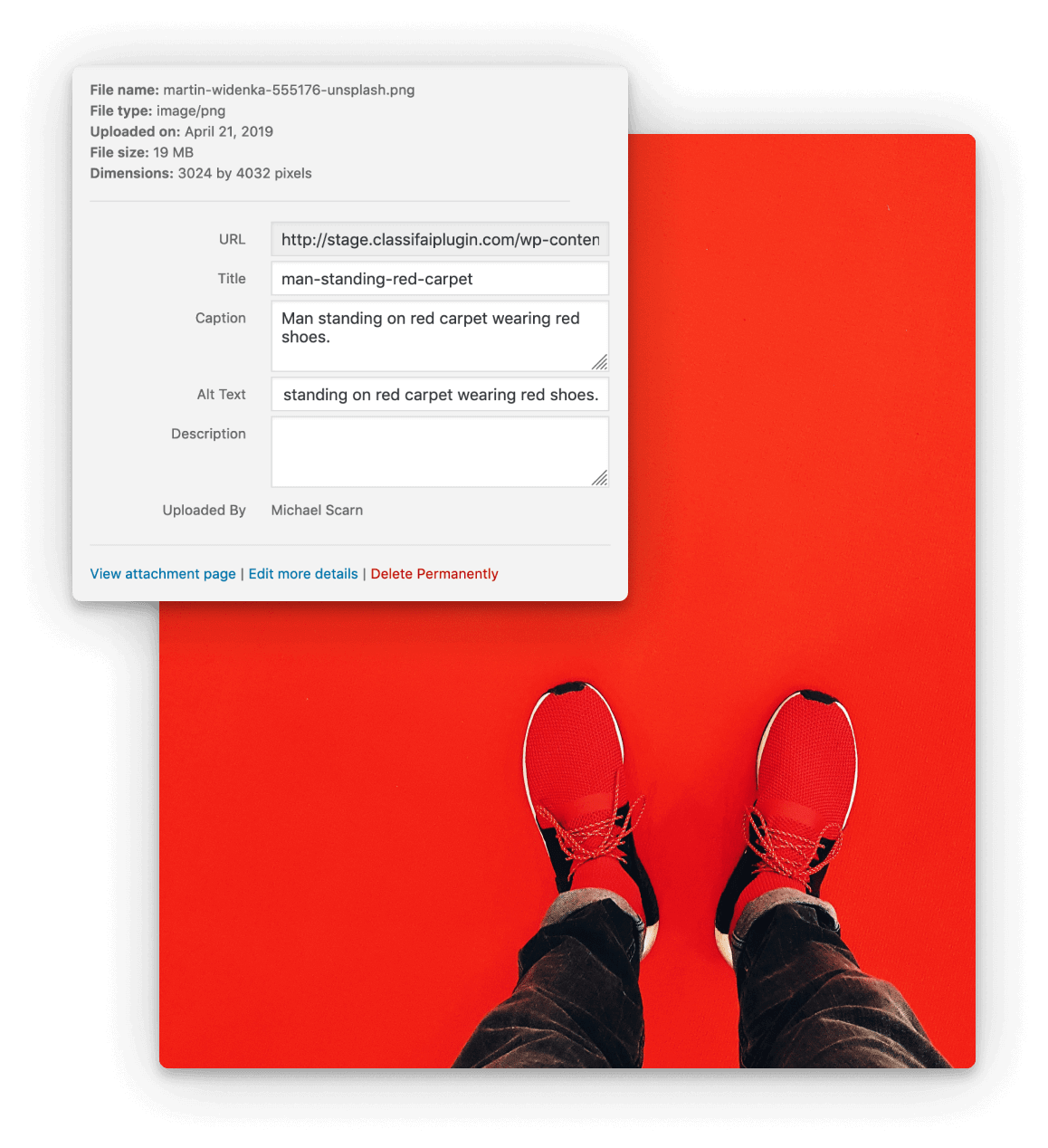
The descriptive-text generator (sometimes called alt text in the UI) reads the binary of an uploaded image, sends it to a vision-capable model, and writes a human-readable description back into the alt-text, caption, or description field of the attachment — administrators choose which field. By default it runs automatically on upload, so every new asset enters the library with accessible text already in place; it can also be triggered manually from the attachment edit screen or via REST.
Configuration
- Which attachment fields receive the generated text (alt, caption, description).
- Whether generation runs automatically on upload.
- Default prompt for matching house style.
- Provider and model selection.
- Allowed roles and an allowed-users list for granular access control.
Providers
- Microsoft Azure AI Vision (the original integration, with the most predictable cost profile)
- OpenAI ChatGPT (vision models)
- xAI Grok (vision)
- Ollama (locally hosted vision models)
Beyond the editor
The same generator is exposed as a WP-CLI command (wp classifai image), so existing media libraries can be backfilled in a single batch — one of the highest-leverage accessibility wins in the plugin, especially for archives with tens of thousands of legacy attachments.