
Stretch a paragraph to length or tighten one in place, working inline on whatever text is currently selected in the block editor.
How it works
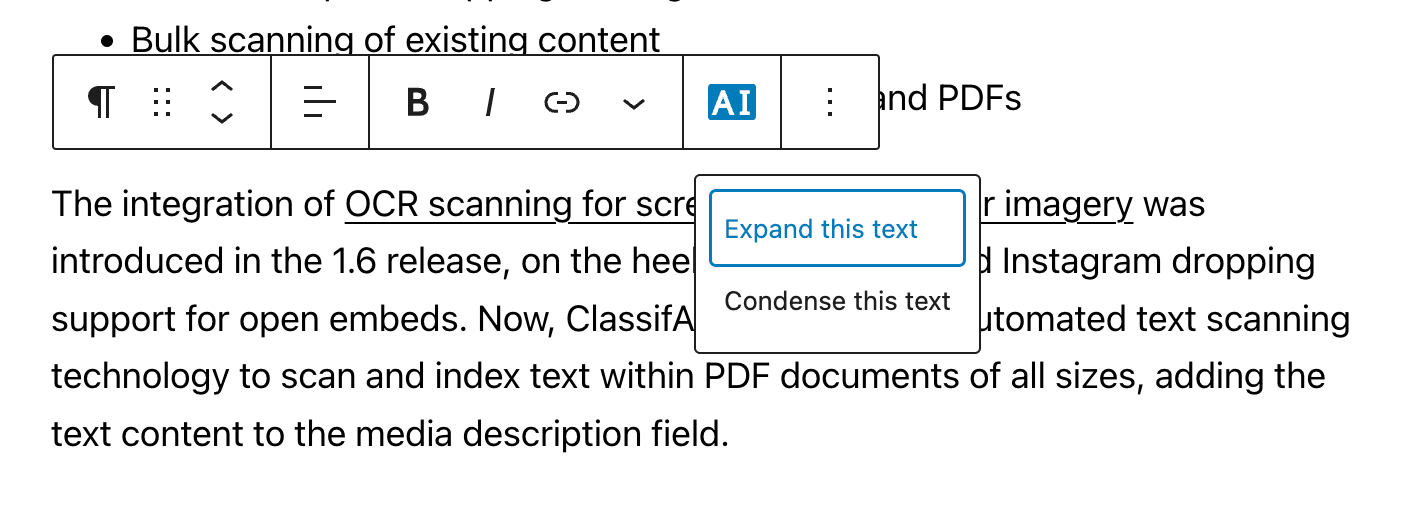
The content-resizing feature is surfaced in the editor as Expand and Condense actions on the block toolbar. The currently selected paragraph is sent to the chosen model along with a directive to either lengthen the passage (adding supporting detail and examples) or tighten it (cutting redundancy while preserving meaning), and the rewritten text replaces the original with a single click.
Configuration
- Default tone for the rewritten text.
- Customisable system prompt.
- Provider and model selection.
- Allowed roles and an allowed-users list for granular access control.
Providers
Expand / Condense is one of the broadly supported features in the plugin:
- OpenAI ChatGPT
- Azure OpenAI
- Google Gemini
- xAI Grok
- Ollama (locally hosted)
- Chrome built-in AI (experimental, on-device)
Use cases
Because it operates on the current selection rather than the whole post, expand / condense is the cheapest of the writing features to run at scale — most calls are a few hundred tokens — making it the natural first feature to enable for newsrooms or content teams worried about token cost. Common patterns include tightening a sprawling intro paragraph, expanding a one-line bullet into a full explanation, and uniformly setting the length of recurring sections (product blurbs, contributor bios) across a site.