
Convert post content into audio and render a “read-to-me” player on the front-end so visitors can listen instead of read.
How it works
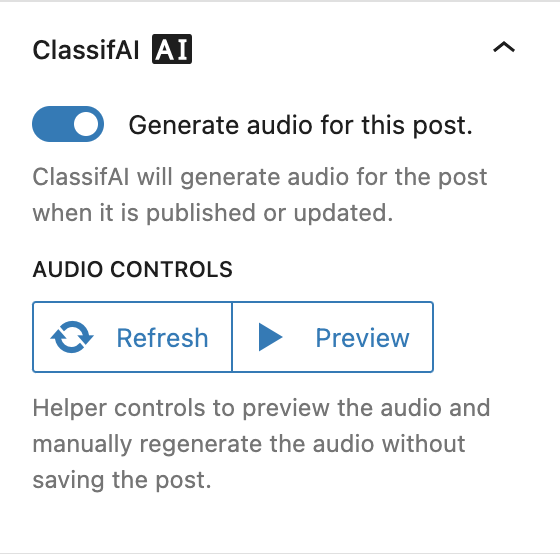
Text-to-speech generates an MP3 from the body of a post (excluding navigation, scripts, and other non-content blocks), stores it as a regular WordPress media attachment, and renders a read-to-me audio player at the top of the post on the front-end. Generation can run automatically when a post is published or updated, and editors can also trigger or regenerate it on demand from the post sidebar; the player itself is rendered server-side so it works without JavaScript.
Configuration
- Post types that get the read-to-me player.
- Whether audio auto-generates on save, or only on demand.
- Voice and language selection from the active provider’s catalogue.
- Provider and model selection.
- Allowed roles and an allowed-users list for granular access control.
Providers
Four providers are supported, each with their own catalogue of voices that the feature settings page lets administrators pick from:
- Amazon Polly
- Microsoft Azure AI Speech
- OpenAI Text to Speech
- ElevenLabs Text to Speech
Audio generation costs scale with content length, so per-feature provider switching matters: a publisher might use Amazon Polly for daily news and ElevenLabs only for premium long-form.